Getting Started in Wild n Chill
From Steam Demo install to a warm first camp in Coldwater Crossing.
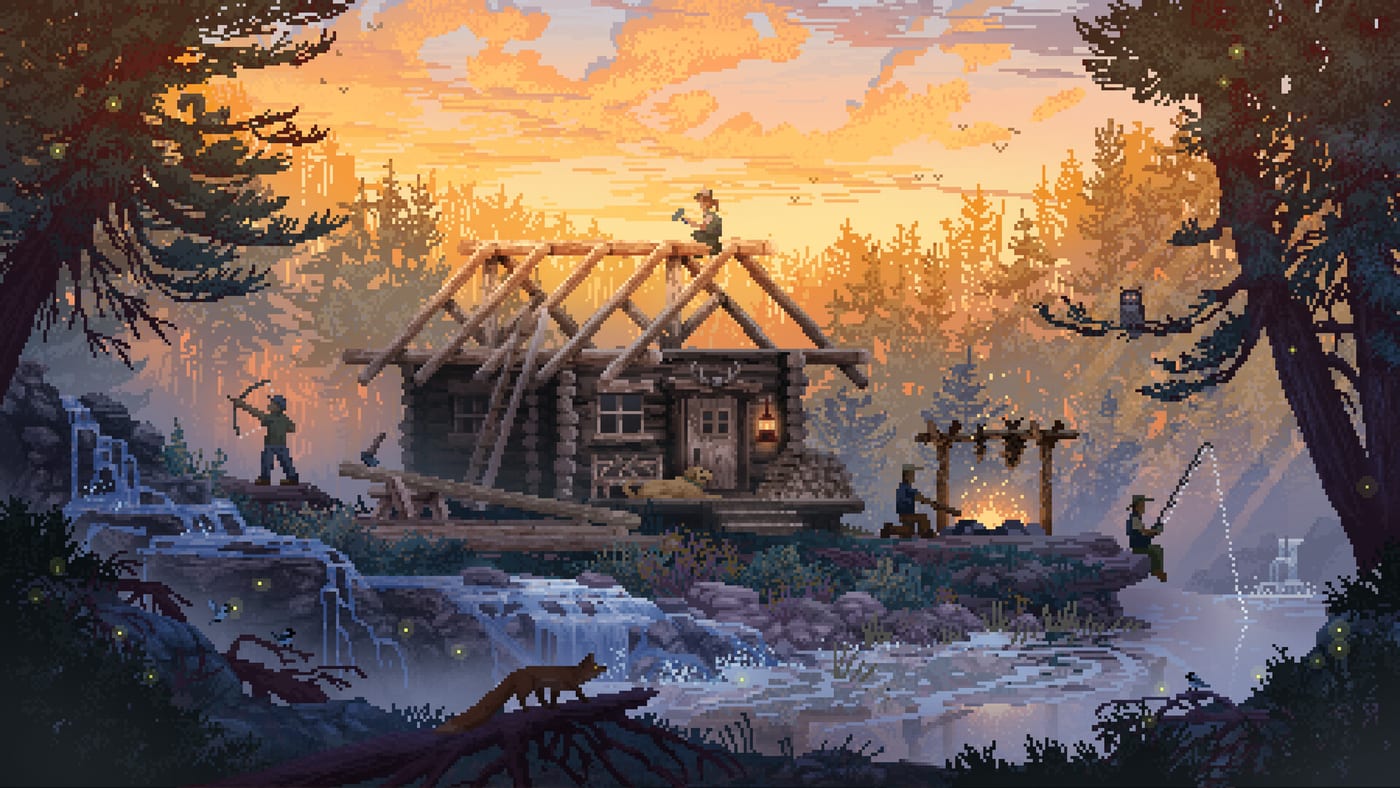
Wild n Chill is Wombat Brawler’s cozy wilderness survival game — the land-based sibling spirit to Cast n Chill — where you forage, hunt, fish, trap, and craft the off-grid cabin of your dreams. The full game is still upcoming (release date TBA). Right now, Steam hosts a Demo you can download; the Demo build dated August 6, 2026 drops you into Coldwater Crossing, the first region on a planned map of eleven unique biomes.
This Getting Started guide is your calm onboarding path: install expectations, first-hour priorities, survival needs, dog companion basics, and where to click next on this wiki. If you want Demo-specific scope and bear warnings in one place, keep Demo Guide open in a second tab.
What you are signing up for
Wild n Chill sells a slower fantasy. You keep food, water, and energy in check while living off the land. You build from a leaky lean-to toward cabins, smokehouses, wood sheds, traps, food stores, and hunting hides. You may go solo with a trusty dog or invite pals for online co-op (up to four). Most animals leave you be, but bears and wolves are part of the design language — and in the Demo, black bears specifically roam the dense woods.
The tone matters for how you play the first hour. You are not meant to panic-clear a checklist. You are meant to notice berries, dry wood, a safe camp pocket, and the trail home before dark. That mindset makes Coldwater Crossing feel like a weekend away instead of a punishment simulator.
Install the Demo and set expectations
Wishlist the main Steam app if you want full-game news, then download the separate Demo entry. Confirm your machine meets the light system floor (64-bit Windows 10 or Mac OS X 10.9+, modest CPU/GPU, small storage). Skim Controls before your first session if you plan to swap between keyboard/mouse and controller later.
Mentally separate Demo content from the roadmap. Coldwater Crossing teaches bushcraft essentials: simple tools, a survival shelter, foraging, hunting, and meeting locals such as hermit Buck. The wider pitch — eleven regions, 40+ animals, 20+ fish, deeper cabin styles — is planned for the complete game, not a promise that every system is finished in the Demo build.
First look trailer context
Before you dig into needs meters, watch the First Look gameplay trailer embedded on this page. It is the best visual primer for pace, cabin vibes, and companion presence. After the trailer, come back here for actionable first-camp steps rather than chasing cinematic set pieces that may not map 1:1 to Demo boundaries.
Your first hour in Coldwater Crossing
Treat the opening session like a camping checklist:
- Survey before you sprint. Note water sources, berry patches, and dense tree cover where black bears may wander.
- Secure a shelter early. A survival shelter beats a scenic overlook with empty pockets. See Cabin Building once you are ready to upgrade.
- Stabilize the three needs. Food, water, and energy are the spine of the chill loop — detail lives in Survival Needs.
- Craft the boring tools first. Knives, chopping gear, and basic camp fixtures unlock everything cozy. Cross-check recipes on Crafting.
- Meet your dog’s role. Retrieval and danger warnings matter more than fashion. Read Dog Companion.
- Find Buck when you have surplus. Trading is a reward for paying attention, not a day-one crutch. Prep with Trading with Buck.
If friends are joining, decide chores before anyone chops the last dry wood pile. The Co-op Guide covers online sessions up to four plus Shared/Split Screen and Remote Play Together options on Steam.
Early threats and calm responses
Black bears are the Demo’s clearest “don’t get too comfortable” reminder. Give them space, avoid turning every berry bush into a tunnel-vision moment, and listen when your dog warns about nearby danger. Pair field awareness with the Wildlife overview so you know which animals are journal targets versus trail hazards.
Wolves appear in the broader survival pitch for the full game. Even if your Demo session feels quiet, practice the habit of watching energy before long hikes and keeping firewood dry — those habits transfer when the map grows beyond Coldwater Crossing.
Orient yourself on the wider wiki
After your first successful campfire evening:
- Use Map for region framing (Demo focus vs. eleven planned regions).
- Check Updates whenever the Demo build changes.
- Keep Links bookmarked for official Steam and Wombat Brawler destinations.
- Return to the Guides Hub whenever you need the reading order again.
A simple “good session” definition
You had a good first session if you ate, drank, rested, slept near shelter, and learned one new route without a bear story you cannot laugh about. Upgrade goals — smokehouses, wood sheds, prettier cabin walls — can wait until the basics feel automatic. Wild n Chill rewards attention more than aggression; start patient, and Coldwater Crossing opens up naturally.
Frequently Asked Questions
Quick answers to the most common questions.
Is the full Wild n Chill game playable yet?
No. The full game is upcoming with a TBA date. Steam hosts a Demo (Coldwater Crossing) with a Demo build dated August 6, 2026 that you can download.
What should I do in my first hour?
Survey the area, place a survival shelter, stabilize food/water/energy, craft basic tools, and learn how your dog warns you about danger.
Can I play with friends from the start?
Yes. Online co-op supports up to four players. Steam also lists Shared/Split Screen and Remote Play Together — see the Co-op Guide for chore tips.
Who is Buck?
Buck is a friendly old hermit in the Demo who may trade if you bring supplies worth offering. Details are on the Trading with Buck page.
Where do I learn controls?
Use the Controls page for input notes, then come back here for survival priorities once the buttons feel natural.