Wild n Chill System Requirements
Modest PC specs for the Coldwater Crossing Demo — and what they mean for couch nights.
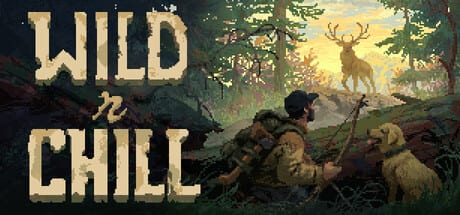
Wild n Chill aims at cabin evenings on ordinary machines. Wombat Brawler’s cozy wilderness survival Demo — Coldwater Crossing — went live on Steam on August 6, 2026, while the full game remains TBA for PC, Mac, and planned Nintendo Switch / Switch 2 versions. This page translates the published light system floor into practical invite advice, without pretending every laptop will hit identical frame times.
Install the Demo from the Steam Demo store page. Follow TBA news on the full game store page. Studio context lives on wombatbrawler.com.
Windows minimum (Steam)
- OS: Windows 10 (64-bit)
- CPU: Intel Core i3 @ 3.2 GHz
- RAM: 4 GB
- GPU: DirectX 9 capable graphics
- Storage: 256 MB available space (leave extra headroom for Steam and OS updates)
macOS minimum (Steam)
- OS: Mac OS X 10.9+
- CPU: about 2.6 GHz Intel Core i3 class as commonly listed
- RAM: 4 GB
- GPU: DirectX 9 class graphics listing as published on Steam
- Storage: 256 MB available space on the sheet — still leave practical free space
Always re-check the Steam System Requirements block before a big co-op night; store tables can tighten or clarify as builds evolve.
What “light requirements” should mean in practice
A 4 GB RAM floor is welcoming, not magical. Close Chrome megatabs before you host Shared/Split Screen. An i3-class CPU from the published minimum era can handle chill trail walking, but background recording software may hitch more than the Demo itself. A 256 MB GPU / storage line on the sheet signals that Wild n Chill is not chasing ray-traced wilderness flex — it wants readable camps and wildlife, not workstation GPUs.
If your machine clears these numbers comfortably, focus on comfort settings: UI scale, mouse or stick sensitivity, and whether Full controller support feels better on the couch. Visit the Controls Hub after you confirm the game boots.
Demo versus full-game hardware thinking
Coldwater Crossing is the playable Demo slice today. The upcoming full game may add regions, denser journals (40+ animals, 20+ fish in the pitch), and more cabin variety across eleven planned areas. That content growth could change recommended specs later. Until an official full-game requirements revision posts, use Demo performance as your personal baseline and keep expectations honest via Demo vs Full and Demo Notes.
Switch and Switch 2 listings are planned platforms for the complete game, not alternate Demo download paths on this page.
Co-op invite checklist for friends
Before you promise online co-op for up to four:
- Confirm each friend can install the Demo from Steam.
- Ask about RAM and OS first — those fail more often than raw GPU flex.
- Decide Shared/Split Screen versus online. Split Screen needs one stronger host machine and two input devices.
- Test Full controller support if anyone refuses keyboard play — Controller.
- Send Getting Started and the Demo Survival Checklist so hardware success turns into camp success.
Remote Play Together can help when only one person owns a capable PC, but the host still needs a stable session. Chore plans live in the Co-op Guide.
Display, storage, and living-room notes
Cozy games suffer when TV darkness crushes tree lines. If black bears are hard to see, raise brightness before you blame stealth AI — also skim Bears and Danger. Keep the install on an SSD if you have one — not because the Demo demands it at minimum, but because Steam updates and load stutters feel calmer. Headphones help dog warning cues cut through living-room noise.
Troubleshooting quick hits
- Won’t launch: verify Steam files, update GPU drivers even on light APIs, confirm OS bitness.
- Stutters near camp builds: lower background apps; Split Screen doubles UI cost.
- Input weirdness: check Steam Input and the in-game options; compare Keyboard & Mouse.
- Friends desync expectations: share Demo Guide so nobody expects the full TBA map.
Performance mindset for Coldwater Crossing
You do not need a ray-tracing monster to enjoy a campfire. Prioritize stable frame pacing and readable foliage over max settings. If ground items are hard to see, that can be art direction or lighting — not always a hardware fault. Pair this page with Demo Notes when visual clutter is the real issue.
Related links
- Demo vs Full
- Links Hub
- Coldwater Crossing
- Crafting and Wildlife once the Demo runs
- Review for trailer-led impressions
- Official Steam full game page
- Wombat Brawler YouTube and X
Honest summary
Wild n Chill’s published minimums are an invitation: you do not need a new tower to try Coldwater Crossing. You still need Windows/Mac readiness, free disk space, and the understanding that the full game is TBA. Measure success by a stable first campfire, not by competitive frame charts.
If a friend clears these requirements, invite them. If they do not, wait for a patch note or a different machine — the woods will still be there when Steam hosts their Demo install.
Frequently Asked Questions
Quick answers to the most common questions.
What is the headline PC minimum?
Windows 10, an Intel Core i3 around 3.2 GHz, 4 GB RAM, DirectX 9, and a lean storage line on the Steam sheet — still leave practical free space.
Can Mac players join?
Mac is part of the platform plan alongside PC. Confirm the current Demo’s Steam requirements block for Mac specifics on your date.
Do Switch consoles run the Demo today?
Nintendo Switch and Switch 2 are planned for the full game, which is still TBA. The Demo path discussed here is Steam.
Is 4 GB RAM enough for four-player co-op?
It meets the published floor, but close background apps and prefer online clients over demanding Split Screen on the weakest host.
Where do I download after checking specs?
Use the Steam Demo page for App 4628650, then follow Getting Started for first-camp steps.