Wild n Chill Demo Survival Checklist
Tick first-night goals in Coldwater Crossing. Progress saves in this browser.
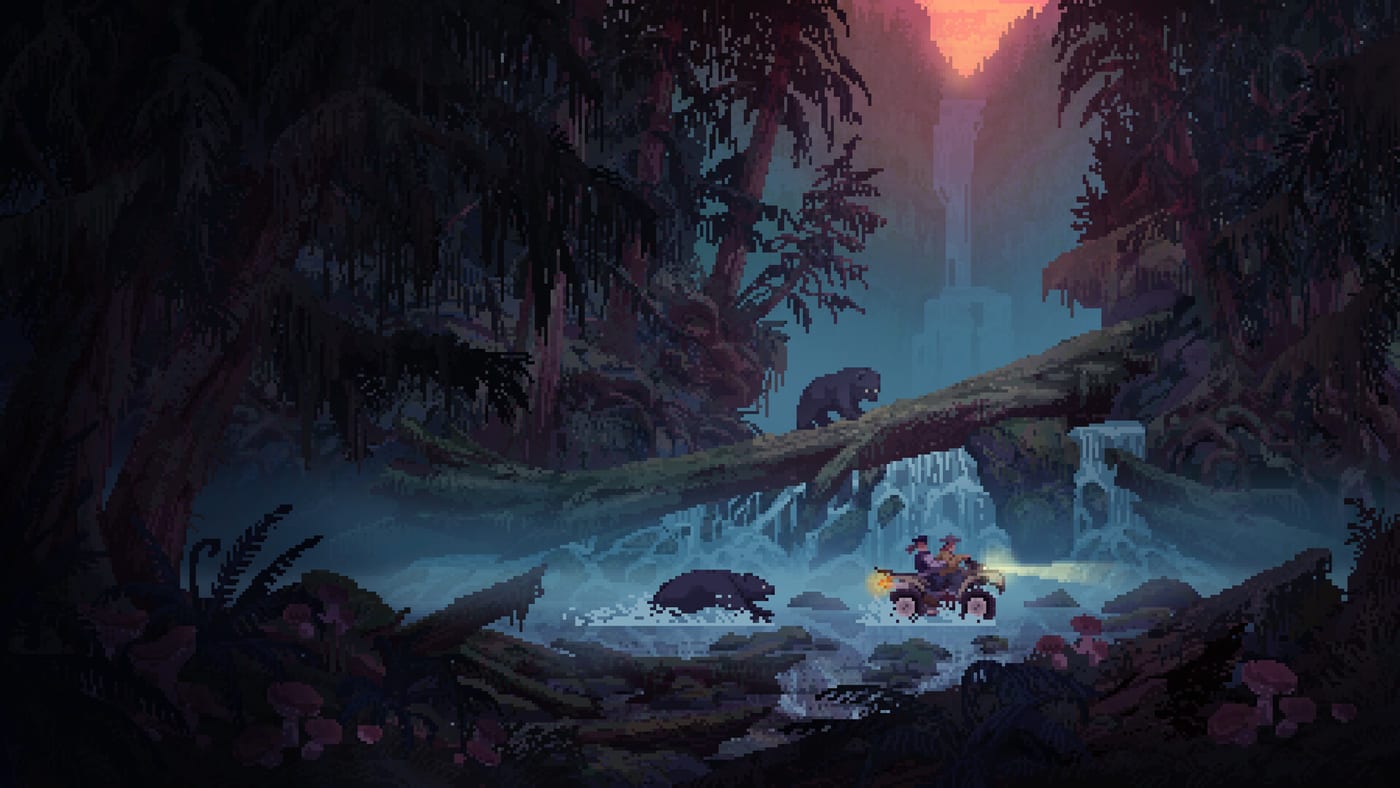
Use this Demo Survival Checklist when you want Coldwater Crossing to feel intentional instead of improvised. Wild n Chill is Wombat Brawler’s cozy wilderness survival game; the full release remains TBA, while Steam hosts a Demo that went live on August 6, 2026. Checking boxes keeps the cozy fantasy on track without turning the session into homework. If you want narrative coaching before you tick anything, read Getting Started and the Demo Guide. The interactive block below is the working list — mark tasks as you camp, then keep reading for how to use each section.
Demo Survival Checklist
Tick off first-night goals in Coldwater Crossing. Progress saves in this browser.
How to use the checklist in a real session
Leave this page open on a second monitor or phone. Tick items only when they are truly done — a half-built lean-to does not count. Do not alt-tab during a bear stare-down. On Shared/Split Screen nights, let one friend be the checklist caller while others walk. Online co-op for up to four players works best when each person owns a column of tasks: shelter, food, wood, scouting.
If a checkbox stalls, open the matching deep dive:
- Tools and bushcraft ladder → Tools Progression and Crafting
- Food, water, energy → Survival Needs
- Shelter upgrades → Cabin Building
- Dark shapes on the trail → Bears and Danger and Wildlife
- Hermit surplus trades → Trading with Buck
- Region orientation → Coldwater Crossing
- Input friction → Controls Hub
Why these boxes exist
- Stones, sticks, knife, rope, axe — the bushcraft ladder that unlocks wood and camp fixtures.
- Campfire before nightfall — warmth and cooking identity for the whole fantasy.
- Water and a first meal — soft fail states that ruin vibe faster than any wolf rumor.
- Lean-to / shelter — sleep and weather buffer; expand later via cabin building.
- Bear awareness — Demo-specific honesty about dense woods.
- Buck trade prep — surplus turns into hermit progress.
- Journal + bow path — curiosity and safer hunting once the camp is stable.
Shelter and camp foundation
Your earliest ticks should create a place you can retreat to. A survival shelter beats a scenic overlook with empty pockets. Place camp with water access and exit routes in mind, then improve toward sturdier cabin pieces when the basics feel automatic. Dry wood thinking belongs here too. Controllers and keyboards both make sprinting to the next tree too easy — slow down and stack fuel before night plans get ambitious.
Food, water, and energy ticks
The chill loop still has meters. Tick “eat,” “drink,” and “rest” as real accomplishments, not afterthoughts. If energy collapses mid-hike, you will invent bad shortcuts through dense cover where black bears roam. Forage nodes and fishing spots should be mapped mentally against your shelter.
Dog companion cues
Leave checklist space for “listened to the dog.” Retrieval moments and danger warnings are gameplay, not flavor text. When the dog alerts, stop sprint inputs, pan the camera, and decide whether the berry bush is worth it. Habits expand on Dog Companion.
Bear-safe exploration ticks
Mark exploration goals in short loops from shelter, not continental marches. Dense woods deserve a camera pause. If you want wildlife journal ambitions tied to the 40+ animals / 20+ fish full-game pitch, label those as long-term interests rather than Demo mandatory rows. Honesty keeps the checklist trustworthy. Scope language lives on Demo Notes and Demo vs Full.
Buck trading — surplus only
Hermit Buck is a Demo local who may trade when you bring supplies worth offering. Tick “visit Buck” after you have surplus food or materials, not when you are failing basic needs. Trading is a reward for attention.
Co-op chore ticks
If friends join, rewrite the checklist as a chore board:
- One hunter / trapper
- One fisher / forager
- One wood and fuel runner
- One camp builder / organizer
Online co-op supports up to four; Shared/Split Screen and Remote Play Together widen who can sit in the same cabin story. Read Co-op Guide before a chaotic first attempt. Mixed keyboard and controller lobbies should agree who opens shared storage — see Keyboard & Mouse and Controller.
Download and hardware ticks
- Confirm the Demo install from the Steam Demo listing.
- Wishlist or follow TBA news on the full game listing.
- Check light requirements on System Requirements before inviting a friend on older hardware.
- Keep the studio page bookmarked for design blurbs.
- Optional trailer context: Review or Announcement Timeline.
After every box is green
A finished checklist does not mean you finished Wild n Chill — the full game is still upcoming. It means you practiced the Coldwater Crossing core with fewer forgotten drinks and fewer surprise bear stories you cannot laugh about. Push into fishing and foraging depth on Wildlife, map landmarks on Coldwater Crossing, and return to the Tools Hub when new helpers arrive.
Play the list, then ignore the list long enough to enjoy the fire. That balance is the whole point of a chill survival Demo.
Frequently Asked Questions
Quick answers to the most common questions.
Where is progress saved?
In this browser’s local storage for your language. Clearing site data resets the ticks.
Can I use it with co-op?
Yes. Split ownership of checklist rows so chores do not collide at dusk.
Does this checklist cover the full game?
It focuses on the Demo. Full-game ambitions like all eleven regions stay labeled as TBA roadmap context.
What if a box does not match my build?
Demo details can shift — check Demo Notes and adjust; the spirit is fire, shelter, needs, safety, then curiosity.
Is the checklist a replacement for guides?
No. It is a companion to Getting Started, Survival Needs, Crafting, and Bears and Danger.